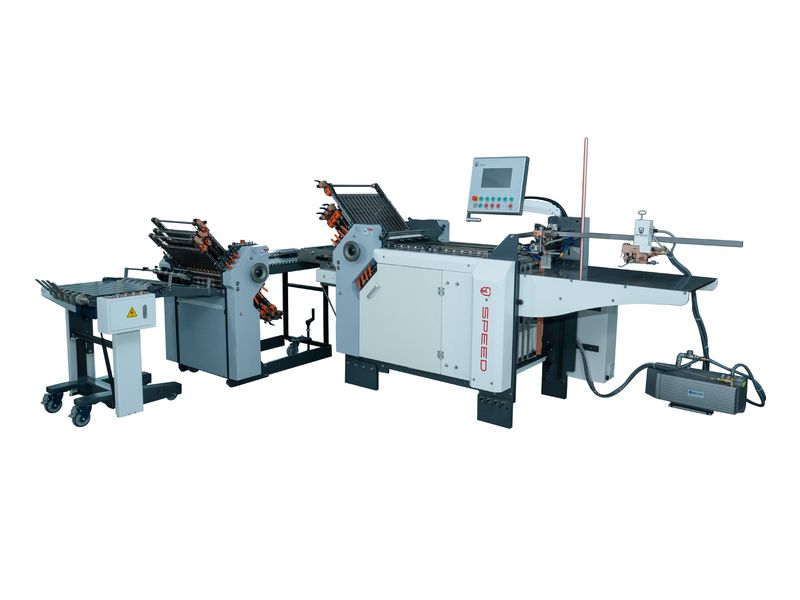
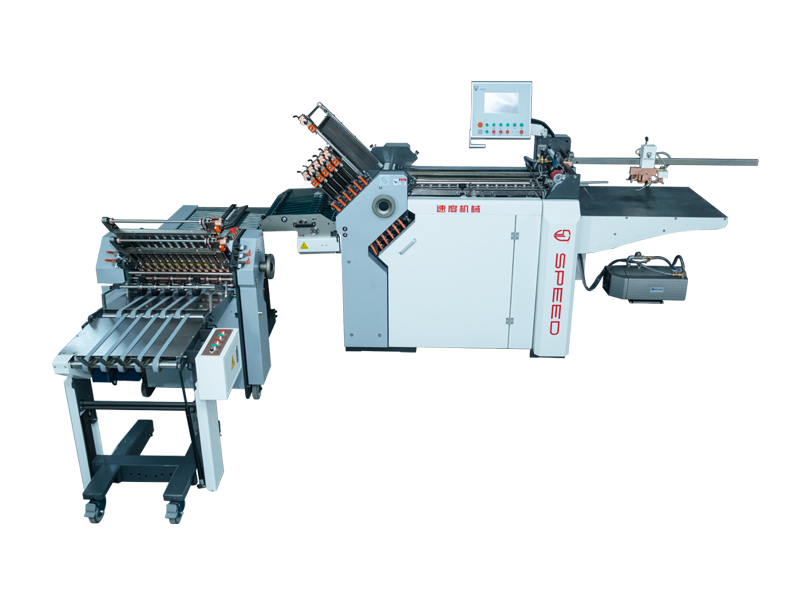
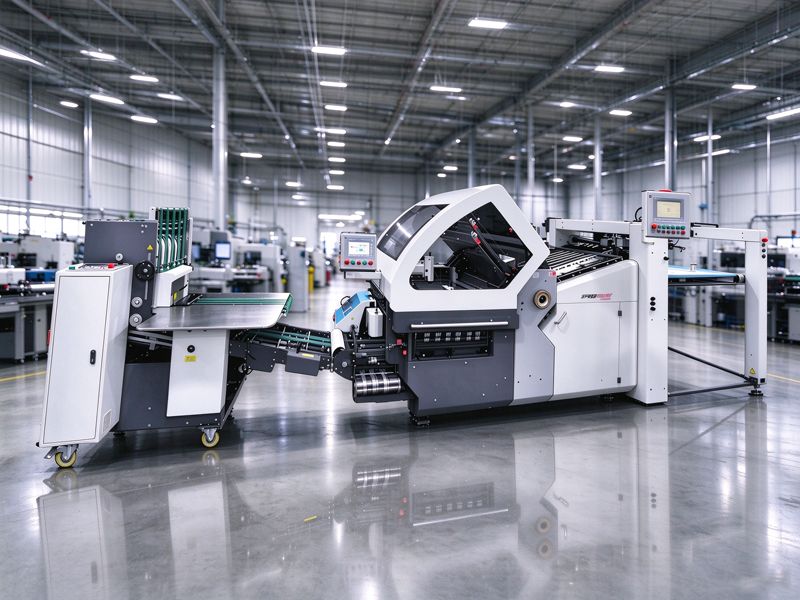
An instruction manual is the paper that tells the buyer how to use the product, and its folding machine is judged by whether the buyer can read it. A manual that is folded wrong is a manual that hides its own instructions: the safety warning falls on a crease, the diagram is split across two panels, the page order runs backwards, and the buyer who cannot find the answer stops reading — and starts calling support, or returns the product. That is what makes manual folding different from brochure folding: a brochure with a skewed fold looks careless, but a manual with a wrong fold fails at its only job.
This guide covers the manual job: the difference between a single-sheet instruction sheet and a multi-page instruction manual, which fold patterns each one uses, which paper manuals are printed on, which sheet sizes the machine has to take, which machine type fits manual work, how pockets and knives are configured for it, what a manual run costs to run, how to judge a folded manual, and which machine fits which kind of manual job.
Where this guide gives a model specification, it gives the verified reference specification for that named model — not a generic class range — and where it gives a configuration, it gives one the user has confirmed SPEED offers.
What Is an Instruction Manual, and What Does Its Folding Machine Do?
An instruction manual is the printed guide that ships with a product — how to install it, how to use it, how to keep it safe — and it comes in two forms. The first is the instruction sheet: a single sheet of paper, printed on both sides and folded down to fit in the box, the kind of folded sheet found in a medicine carton, an appliance box, or a toy package. The second is the instruction manual proper: a multi-page booklet, made of signatures and bound, the kind of manual that ships with a machine, a piece of furniture, or a piece of electronics. The two forms fold differently, need different machines, and are judged differently — and the first decision in this guide is which of the two the buyer is folding.
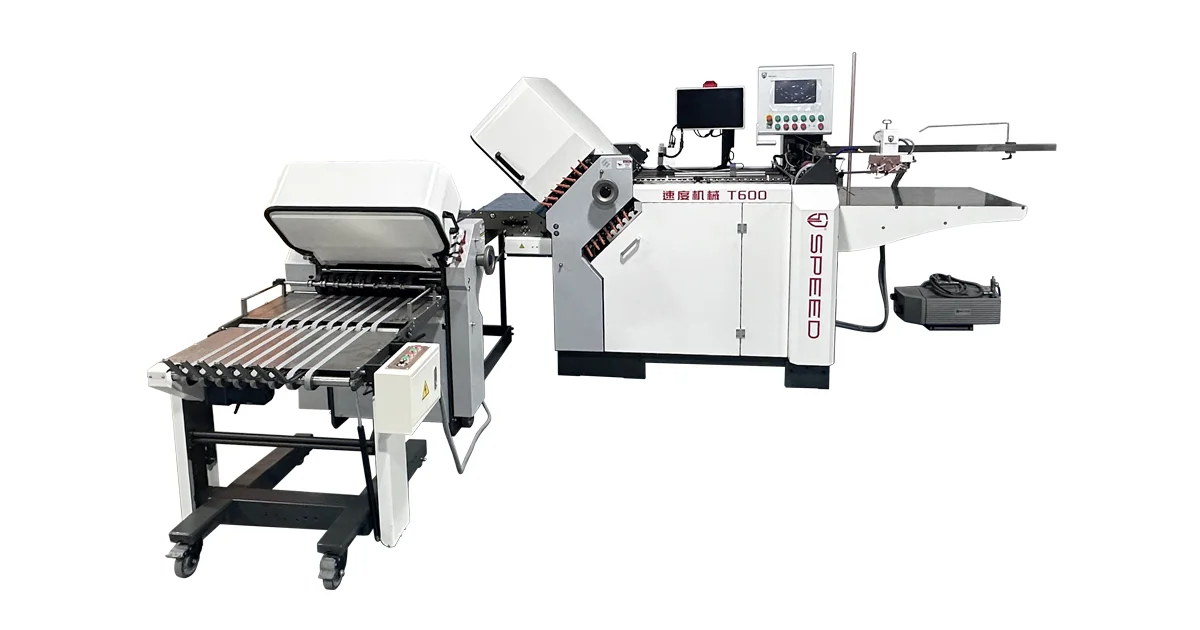
A buckle folding machine is the machine for the single sheet. It folds the sheet in one direction, panel after panel — single, tri-fold, accordion, double parallel, roll, and gate folds — and it folds small sheets well, down to 60 × 100 mm on the T490, T520, T600 and T520 Pharma. A combination folding machine is the machine for the multi-page manual, because the manual's signature needs a cross fold, and the cross fold needs a knife unit. A buyer who tries to fold a multi-page manual on a buckle-only machine will discover the problem on the first job, when the pages come out in the wrong order — and a buyer who buys a combination machine for a single-sheet job has paid for a knife unit the job never uses.
The manual job also has expectations that brochure work does not. The text has to stay readable — a safety warning that falls on a crease, or a diagram split across a fold, is a failed manual however sharp the crease is. The pages have to be in order, the fold has to be square so that the manual fits the box or binds evenly, and the folded piece has to be flat enough to pack — because a manual that springs open in the carton is a manual that jams the packing line. A buyer choosing a folding machine for instruction manuals is choosing the machine that decides whether the buyer can use the product, and the rest of this guide is a checklist for exactly that decision.
Instruction Sheets vs Instruction Manuals: Two Jobs, Two Folds
The instruction sheet is the simpler job and the bigger volume. One sheet, printed on both sides, folded down to a small rectangle that fits in the product box. The fold pattern is almost always a parallel fold — a tri-fold for a short sheet, an accordion fold for a longer one, a roll fold when the sheet has to fold down small, a gate fold when the sheet opens out to a wide diagram. The sheet is usually thin paper, because a thick sheet folded six times becomes a brick, and the fold has to be sharp enough to hold the sheet flat in the box. The buyer folding sheets should look at the buckle machine first, and should check three numbers: the smallest sheet the machine takes, the narrowest panel it can fold, and the number of pockets the longest fold pattern needs.
The instruction manual proper is the harder job and the smaller volume. Many pages, folded into signatures, gathered and bound — a saddle-stitched booklet for a short manual, a perfect-bound book for a long one. The fold pattern is a mix of parallel folds and cross folds, and the cross fold is what puts the pages in order. The paper is usually thicker than sheet paper, because a manual has to survive being read, not just being picked up. The buyer folding manuals should look at the combination machine first, and should check the cross fold before anything else — the minimum knife fold, the maximum sheet, and the pocket count the longest signature needs.
Many buyers fold both, and many products need both: the appliance ships with a folded instruction sheet in the box and a bound manual in the bag, or the medicine carton carries a folded sheet and the device carries a bound manual. A buyer who folds both should decide whether one machine can cover both jobs or whether the shop needs two. A combination machine folds both — its buckle section folds the sheets and its knife section folds the signatures — but a buyer whose sheet volume is ten times the manual volume may find that a buckle machine for the sheets and a combination machine for the manuals is the cheaper pair. The job list decides, not the size of the machine.
Fold Patterns for Instruction Manuals
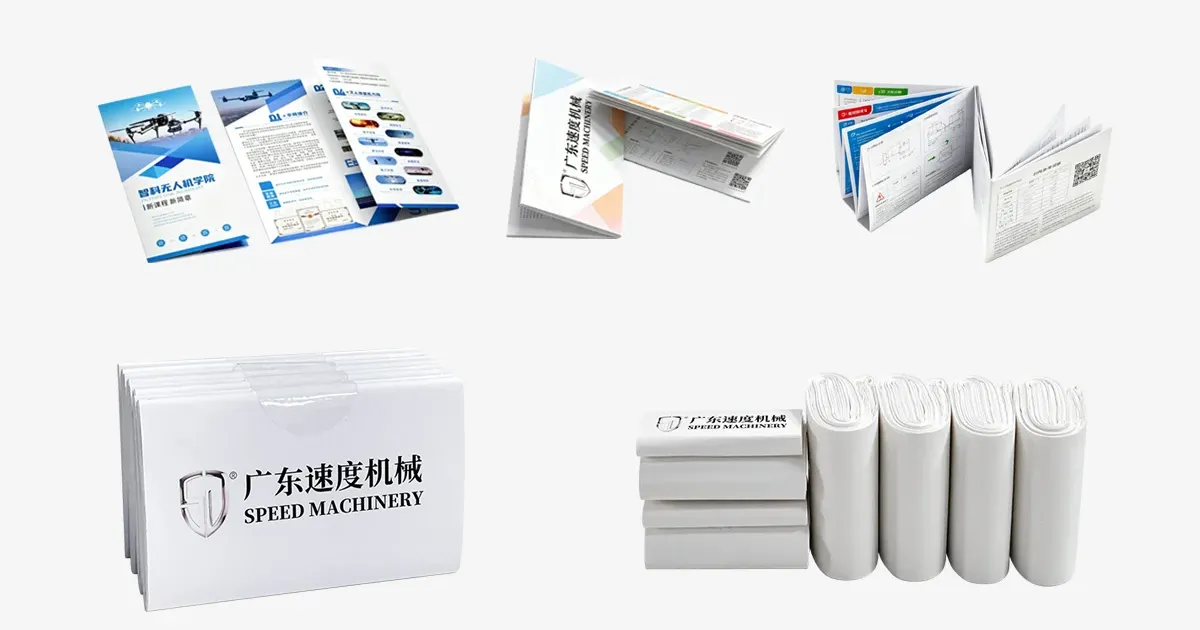
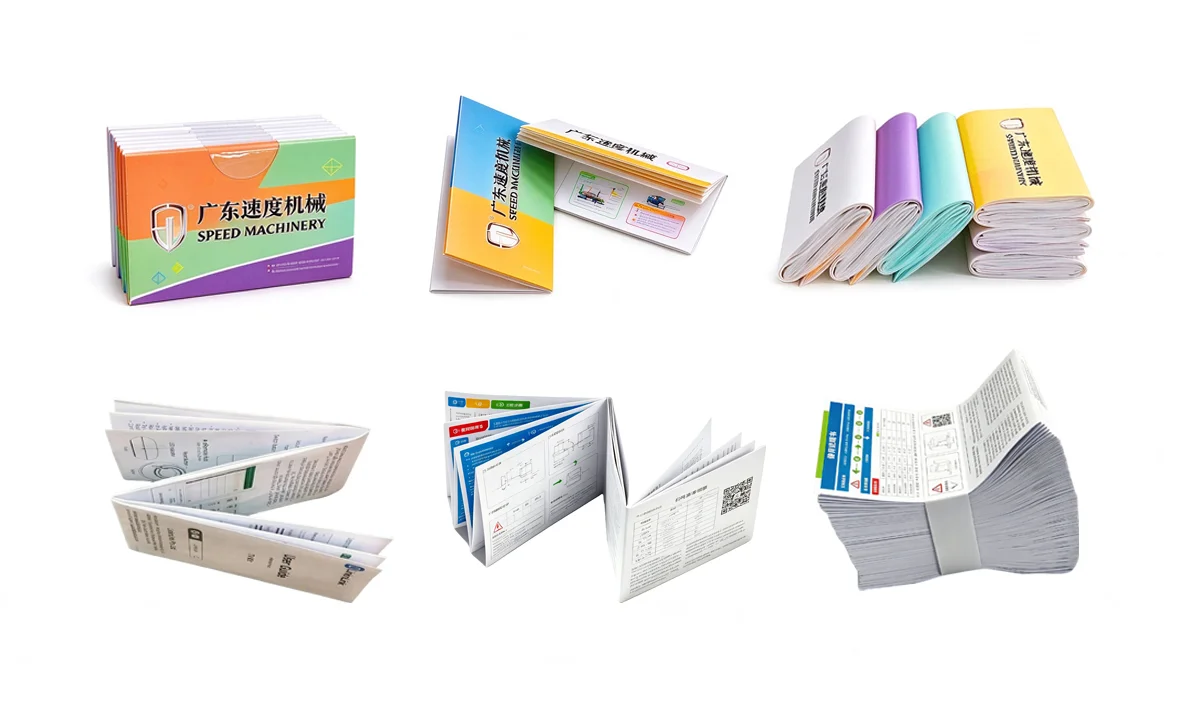
The fold pattern is the shape the manual takes, and it is decided by the sheet, the page size, and the box. A tri-fold divides a sheet into three panels and is the pattern for short sheets — a quick-start guide, a safety sheet, a single-page instruction folded to fit a small box. An accordion fold divides a sheet into equal panels that zigzag, and it is the pattern for long sheets — a full instruction sheet that opens out to a wide diagram, or a medicine leaflet that has to carry a lot of text in a small folded size. A roll fold wraps the panels one inside another, and it is the pattern for a sheet that has to fold down very small, though it hides the first panel inside the fold and suits a sheet the reader opens all the way. A gate fold folds two panels in from the sides to meet in the middle, and it is the pattern for a sheet that opens to a wide centre spread — a diagram, a parts list, a map of the product.
The multi-page manual adds the cross fold to that list. The sheet is folded in one direction by the buckle plates, then turned 90 degrees and folded again by the knife unit, and that second fold is what turns a folded sheet into a signature with pages in the right order. A 16-page manual is a signature folded twice in one direction and once across, and a 32-page manual adds another fold — and each added fold adds a pocket to the configuration and a check to the sample test. The K780-F, the combination model in the SPEED range, is built for exactly this sequence, with a buckle section and a knife section in one machine, and its minimum knife fold — 100 × 65 mm — is the number that sets the smallest cross-fold piece it can make.
The fold pattern also decides where the text falls, and that is a check the buyer should do on the artwork, not on the machine. A safety warning, a step number, or a diagram should never fall on a crease, and the most important text should fall on the panel the reader sees first. A buyer should fold a printed sample by hand, open it the way a buyer would, and check that the first thing the reader sees is the first thing they need — the safety warning, the quick start, the diagram — and not a blank panel or a page number. A fold pattern that puts the warning on a crease is a pattern to change before the machine is ordered.
Paper for Instruction Manuals
Instruction sheets are printed on thin paper, and instruction manuals on thicker paper, and the two behave differently when they are folded. A thin sheet folds easily and holds its crease, but it also tears easily and shows the print through from the other side, so a sheet folded six times needs paper that can take the fold without splitting at the crease. A thick sheet resists the fold, the crease has to be pressed harder to hold, and the spine of the folded manual is thicker and harder to keep flat. A folding machine that handles thin sheet paper well and struggles with thick manual paper is a machine that fails the manual job, and the buyer should test it on the thickest paper on their list, not on the thinnest.
The paper range is the first number to check. The K780-F covers 28–200 gsm, the T490, T520, T600 and T520 Pharma cover 35–200 gsm, and the T780 covers 40–210 gsm. A buyer whose manual paper sits inside one of those ranges has a machine that folds it, on paper at least — but the range is a weight range, not a folding guarantee, and two papers at the same gsm can fold differently. Coated paper cracks where uncoated paper folds cleanly, and thick paper cracks where thin paper does not, so the buyer should test the actual manual paper, in the actual weight, with the actual ink coverage, on the machine they are considering.
The ink is the second thing to check, and it matters more for manuals than for brochures. A manual is printed with dense text and diagrams, often in full colour, and the ink coverage along the fold line is heavy — which is exactly where cracking shows. A buyer judging a machine should fold a sample of the real printed sheet, open and close it a few times, and check that the ink does not crack along the fold line and that the text stays readable. A crease that cracks on the third opening is a crease that will crack in the buyer's hands, and a safety warning that cracks is a warning the buyer cannot read.
Sheet Size: Small Sheets, Big Runs
Sheet size is two numbers, not one: the largest sheet the machine takes and the smallest. Both have to fit the buyer's manual jobs, and the smallest is the one that matters most for instruction sheets, because a sheet folds down to a small rectangle that has to fit in the product box.
The smallest sheet decides the smallest manual the machine can take. The T490, T520, T600 and T520 Pharma all take sheets down to 60 × 100 mm, and the K780-F and the T780 both start at 150 × 150 mm. A buyer folding small instruction sheets — a medicine leaflet, a small appliance sheet — should look at the buckle machine first, because its 60 × 100 mm minimum covers the small pieces the combination machine cannot take. A buyer folding only multi-page manuals can live with the combination machine's 150 × 150 mm minimum, but should still check it against the smallest manual on the list, because the minimum is the number that rules a job out entirely.
The largest sheet decides the biggest manual the machine can make. The K780-F and the T780 take sheets up to 780 × 1200 mm, the T600 up to 600 × 1000 mm, the T520 up to 520 × 1000 mm, and the T490 up to 490 × 1000 mm. A buyer whose largest manual sheet is bigger than the machine's maximum cannot run that job on that machine at all, and no adjustment fixes it. The buyer should check the largest sheet on their job list against the maximum, and leave room for the next job that is a little bigger — because a manual job that grows by one signature size is a job that outgrows the machine.
The minimum fold width is the third size number, and it sets the narrowest panel the machine can fold: 20 mm on the T490, T520, T600 and T520 Pharma, and 45 mm on the T780, a range of 20–45 mm across the series. A buyer whose instruction sheet folds down to narrow panels should check it, because a panel narrower than the minimum cannot be folded on that machine. The practical rule is simple: check the smallest first for sheet work, the largest second, and the fold width third.
Buckle or Combination: Which Machine Fits Instruction Manuals?
For single-sheet instruction sheets, the answer is buckle. The sheet needs parallel folds only, and the buckle machine folds them — tri-fold, accordion, double parallel, roll, and gate — on a small minimum sheet and a narrow minimum fold. The T520 or T600 is the usual starting point: 35–200 gsm, 180 m/min, a 60 × 100 mm minimum sheet, and a maximum sheet of 520 × 1000 mm or 600 × 1000 mm. The choice between them is the largest sheet the shop folds, and the buyer should not order knives for a job that has no cross fold.
For multi-page instruction manuals, the answer is combination. The manual's signature needs a cross fold, and the cross fold needs a knife unit, and the knife unit is what a combination machine adds to a buckle machine. The K780-F is the combination model in the SPEED range, and it is the machine most manual buyers should look at first: 28–200 gsm, a 210 m/min maximum operating speed, a 780 × 1200 mm maximum sheet, and a knife unit — 1 to 3 knives optional — for the cross fold.
The recirculating feeder paper folding machine is a third option, and it belongs to a different question. A recirculating feeder is a feeding system for high-volume runs, where the feeder keeps the paper flowing without stopping — the same instruction sheet, in the tens of thousands, for a product that ships every day. It is relevant to a buyer whose manual runs are long and continuous, and it is not relevant to a buyer whose manual runs are short and varied, with a different manual every day. There is no recirculating feeder model specification table supplied for this guide, so no feeder-model figures are quoted here; a buyer considering that route should ask the supplier for the feeder model's own table before comparing it with anything.
The short version: buy the buckle machine for instruction sheets, buy the combination machine for multi-page manuals, and consider a recirculating feeder only when the run length justifies it. The buyer's own job list — sheets or manuals, fold patterns, finished sizes, run lengths — decides, not the size of the machine.
Folding Pockets and Knives for Instruction Manual Work
A paper folding machine is configured for manual work by its folding pockets and its knives, and the buyer should match both to the fold pattern, not to the largest number on the brochure. A folding pocket — called a buckle plate in some markets and a pocket in others — is the unit that makes one fold, and more pockets mean more folds in one pass. A knife is the unit that makes a cross fold.
SPEED's folding pockets can be configured from 4 to 20. That range is a configuration choice, not a bigger-is-better number. A buyer whose longest instruction sheet needs eight folds does not need twenty pockets, and a buyer who orders twenty pockets for an eight-fold sheet has paid for capacity the job never uses. A buyer whose longest manual signature needs sixteen folds, on the other hand, cannot make it on a machine configured with eight pockets. The right question is the one this guide keeps returning to: what is the longest fold pattern on the buyer's job list, and how many pockets does it need? The answer to that question is the pocket count to order, and the buyer should get the configured pocket count in writing for the machine they are buying.
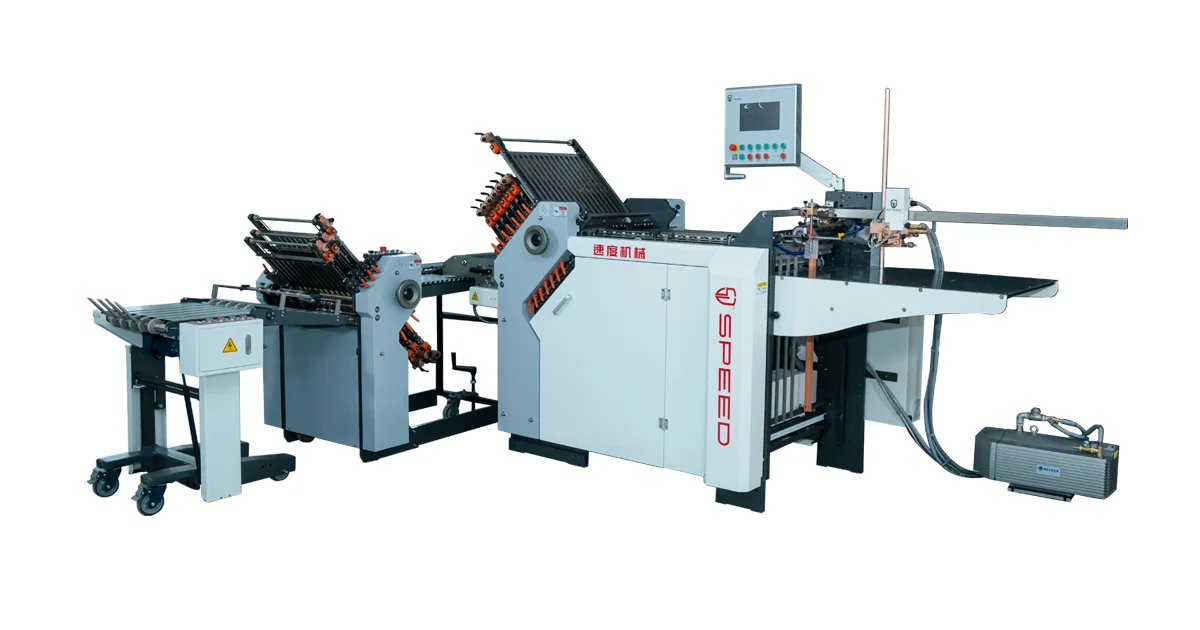
Knives are optional, and the same logic applies. The K780-F combination machine can be fitted with 1 to 3 knives, and the T-series machines with 1 to 10 knives. A buyer whose manual list includes a cross fold needs the knives the signature needs, and should check the combination machine's minimum knife fold — 100 × 65 mm on the K780-F — against the smallest cross-fold manual, because the knife has its own minimum just as the buckle plates do. A buyer whose manuals are single-sheet needs no knives at all, and should not pay for them.
Beyond pockets and knives, the buyer should look at the optional units and layouts that connect the folder to the rest of the shop. A sealing and labelling unit seals and labels the folded piece or the pack. A gluing unit applies glue where the fold pattern or the pack needs it. A waste rejection unit removes faulty sheets before packing — which matters for manuals, because a faulty manual in a product carton is a product that ships without its instructions. An automatic packing machine counts, stacks, and packs the folded manuals. Right-angle layouts — 2-plate, 4-plate, 6-plate, 8-plate, and 10-plate — turn the folded piece 90 degrees so that the folder's output feeds directly into the next machine in the line, and a fast transfer device moves the folded pieces to the next stage without damage. None of these is needed by every buyer, and each of them should be decided from the job list and the floor plan, not from the brochure.
Speed, Volume and Running Costs
Speed is the number buyers look at first and should judge last, because it is the number that says least about whether the machine fits the manual job. An automatic paper folding machine in the SPEED range is rated at 180 m/min for the T490, T520, T600 and T520 Pharma, and 210 m/min for the T780 and, as a maximum operating speed, for the K780-F. Those are rated figures for a given paper and a given fold, and they say nothing about how the machine behaves on the buyer's own manual paper, with the buyer's own fold pattern, on a long run. No SPEED model in the supplied tables reaches 220 m/min, and a buyer comparing machines should compare rated speeds for the same job, not headline speeds for different ones.
Volume is the question speed is supposed to answer, and it is better asked directly: how many manuals per job, and how many jobs per week? A shop that runs fifty thousand copies of one instruction sheet needs speed and a deep feeder; a shop that runs five hundred copies of twenty manuals needs fast changeovers. The maximum paper pile height is a volume figure in disguise — 550 mm on the T490, T520 and T520 Pharma, 750 mm on the T600 and T780, and 1200 mm on the K780-F — because it sets how much paper the feeder holds and therefore how often the operator reloads on a long run.
Running costs are set by four things: labour, paper waste, changeover time, and the cost of a fault that reaches the customer. Labour is the operator's time, and a machine that needs constant adjustment or hand-stacking at the delivery end costs operator hours every day. Paper waste is the cost of the sheets the folder rejects, misfeeds, or damages, and of the sheets setup takes to dial the machine in — and manual paper is printed paper, so every wasted sheet is a printed sheet wasted. Changeover time is the time it takes to switch from one manual job to the next, and no changeover time has been confirmed for any model, so none is quoted here — a buyer should time a changeover on the machine they are considering, with their own job, rather than taking a brochure figure for it. The cost of a fault that reaches the customer is the most expensive of the four: a product that ships without its manual, or with a manual whose pages are in the wrong order, is a support call, a return, or a lost customer. A careful sample test and a clean delivered stack are the features that keep that cost down, and they are worth more than a headline speed figure.
Uptime is the figure that matters more than speed, and it is set by how the machine is built, how it is maintained, and how proven it is in the field. SPEED has an in-house developed gear self-lubrication system, and the gears are maintenance-free, which extends their service life. That claim covers the gears only — it does not mean the whole machine is maintenance-free, and a buyer should not read it that way. The rest of the machine still needs its normal maintenance, and the buyer should ask the supplier what that maintenance is, how often it is needed, and what it costs. No service-life figure has been confirmed for any model, and none is quoted in this guide. SPEED has 50+ global installations, which says the machine is running in real shops, on real jobs, in more than one country — and a buyer should still ask for references in their own kind of work, a manual and leaflet shop rather than a print shop, because an installation count is a general figure and the buyer needs a specific one.
How to Judge a Folded Instruction Manual
No specification sheet replaces a sample test, and a manual sample test is a short, specific exercise. A buyer should send the supplier the actual job: the real printed sheet or signature, in the real paper weight, with the real fold pattern and the real finished size, and ask for folded samples back — not from a demonstration sheet, but from the buyer's own material. Five checks cover most of what the sample needs to show.
First, readability. Open the folded manual the way a buyer would, and check that the text is readable: the safety warning is not on a crease, the diagram is not split across a fold, the step numbers run in order, and the most important text is on the panel the reader sees first. This is the test that matters most for manuals, and it is the test a buyer should run first.
Second, page order. For a multi-page manual, take a folded signature, open it, and check that the pages run in order — page 1, then page 2, then page 3 — without a page out of place and without a page upside down. Check several signatures from the same run, not just the best one, because page order that drifts across a run is a setup problem the buyer will live with.
Third, fold alignment. Open the manual and check that the panels line up — that the edges of the folded panels are square with each other, and that the fold lines fall where the print layout expects them. Misaligned folds cut into print, leave uneven panel widths, and make the manual look careless. For a bound manual, the binding step trims the signature's edges, and a signature that is not square trims unevenly.
Fourth, the finished size and the flatness. Measure the folded manual against the box or the carton it has to fit in, and check that it sits flat — a manual that springs open in the carton jams the packing line, and a manual that is a millimetre too wide for its box is a failed manual, however well it is folded. Open and close the manual a few times and check that the ink does not crack along the fold line, because a crease that cracks on the third opening is a crease that will crack in the buyer's hands.
Fifth, the condition of the delivered stack. Take a stack as it comes off the machine and check it the way the packing line would: are the edges aligned, are the folds flat, are the bottom pieces damaged, and can the operator pick up a stack without it falling apart. A machine that folds well but stacks badly is a machine the packing line will curse.
A sample test should also include the worst case, not just the best case: the thinnest sheet in the buyer's range folded the most times, the largest signature, and the longest fold pattern. If the machine handles the worst case, it will handle the rest. If it only handles the easy case, the buyer has learned that too.
A Shortlist by Instruction Manual Job
A buyer who has worked through this guide will usually find that the choice has narrowed itself to one or two machines. The shortlist below is a starting point, not a verdict — every entry still needs to be checked against the buyer's own job list, and confirmed with a sample test on the buyer's own paper.
A pharmaceutical buyer folding instruction sheets for medicine cartons should look at the buckle T520 Pharma first: 35–200 gsm, 180 m/min, a 60 × 100 mm minimum sheet standard, or 100 × 120 mm with waste rejection, and a maximum sheet of 520 × 1000 mm. The waste rejection unit is the option to check first, because a faulty sheet in a medicine carton is a carton that ships without its instructions.
An appliance or electronics buyer folding single-sheet instruction sheets in long runs should look at the buckle T520 or T600 first: 35–200 gsm, 180 m/min, a 60 × 100 mm minimum sheet, and a maximum sheet of 520 × 1000 mm or 600 × 1000 mm. The choice between them is the largest sheet the shop folds, and the buyer should ask about a recirculating feeder only when the run length justifies it.
A machinery or furniture buyer folding multi-page instruction manuals should look at the combination K780-F first: 28–200 gsm, a 210 m/min maximum operating speed, a 780 × 1200 mm maximum sheet, and a knife unit — 1 to 3 knives optional — for the cross fold. Its 150 × 150 mm minimum sheet and 100 × 65 mm minimum knife fold are the numbers to check first, against the smallest manual on the list.
A mixed shop folding manuals and brochures should look at both machines — the combination machine for the manual work and the buckle machine for the folding machine for brochures work — and should decide whether one machine can cover both jobs or whether the shop needs two. A buyer who tries to fold cross-fold signatures on a buckle-only machine will discover the problem on the first job, when the pages come out in the wrong order.
A book and catalogue buyer folding multi-page manuals alongside booklets should look at the same combination machine, because the manual job and the booklet job are the same folding job: signatures, cross folds, and page order. The folding machine for booklets shortlist and the manual shortlist point to the same machine for the same reason, and a buyer who folds both should configure the one machine for both jobs, with the pocket count set by the longest signature on either list.
A high-volume buyer running long, continuous runs of the same instruction sheet should ask about a recirculating feeder machine, and should ask the supplier for the feeder model's own specification table before comparing it with anything, because no feeder-model figures are quoted in this guide.
Common Mistakes When Choosing a Folding Machine for Instruction Manuals
The first mistake is buying a buckle-only machine for a multi-page manual. The knife unit is not an optional extra for manual work — it is the unit that makes the cross fold, and the cross fold is what puts the pages in order. A buyer who orders a buckle machine for a 16-page manual will discover the problem on the first job, when the pages come out in the wrong order and no binding step can fix it.
The second mistake is folding the sheet without checking where the text falls. A safety warning on a crease, a diagram split across a fold, or a step number hidden inside a roll fold is a manual that fails at its only job, however sharp its creases are. Fold a printed sample by hand before ordering the machine, and check the artwork against the fold pattern.
The third mistake is buying a machine that cannot take the smallest sheet. The minimum sheet size is the number that rules an instruction sheet job out entirely, and for sheet work it is the number to check first, because a sheet folds down small. The K780-F's 150 × 150 mm minimum is the number that catches buyers who choose the combination machine for a small-sheet job.
The fourth mistake is testing on plain paper and buying for printed paper. Manual paper is printed with dense text and diagrams, and the ink coverage along the fold line is heavy — which is exactly where cracking shows. Send the real printed sheet, with the real ink coverage, and judge the samples on the fold line.
The fifth mistake is skipping the packing check. A manual that folds well but springs open in the carton jams the packing line, and a manual that is a millimetre too wide for its box is a failed manual. Test the folded manual in the real box, on the real packing line, not just on the bench.
The sixth mistake is quoting a generic accuracy figure as a machine specification. No accuracy figure appears in the SPEED specification tables supplied for this guide, and no figure should be quoted for any model — not in a purchase order, not in a product description, and not in an advertisement. If a supplier quotes an accuracy figure, ask for the table it comes from.
Final Notes
A folding machine for instruction manuals is judged by whether the buyer can read the manual, not by the fold. The text has to stay readable, the pages have to be in order, the folded piece has to fit the box and sit flat in the carton, and the thin sheet has to hold its crease without tearing — and a buyer who chooses on speed alone, tests on plain paper, or skips the packing check will buy a machine that folds and a manual that fails. A buyer who lists their sheets and manuals, checks the smallest sheet first, matches the pocket count and the knives to the fold pattern, tests the real printed paper, and checks the folded manual in the real box will buy the right machine.
If you fold instruction manuals, instruction sheets, or product leaflets, send SPEED Machinery your sheet sizes, page counts, paper weights, fold patterns, and run lengths, and ask for the final specifications for a machine configured for that work, including the pocket count, the knives, and the options your shop needs. A sample test on your own paper will tell you more than any specification sheet — including this one.
Frequently asked
What folding machine is best for instruction manuals?
It depends on whether the manual is a single sheet or a multi-page booklet. For single-sheet instruction sheets — tri-fold, accordion, roll, or gate folds — a buckle folding machine is the right tool, and the T520 or T600 is the usual starting point. For multi-page instruction manuals — 8-page, 16-page, and 32-page signatures for machines, furniture, and electronics — a combination folding machine is the right tool, because the cross fold is what puts the pages in order, and the K780-F is the combination model in the SPEED range.
Can the same machine fold instruction manuals and pharmaceutical leaflets?
It can, provided the machine's minimums cover both jobs. A buckle machine that folds instruction sheets can also fold leaflets and inserts, because leaflet and insert work is parallel-fold work that the buckle section handles. The buyer should check the minimums against the smallest piece in each job — a pharmaceutical leaflet folding machine takes sheets down to 60 × 100 mm on the T520 Pharma, while a pharmaceutical insert folding machine needs the same small minimums for its inserts, and a folding machine for pharmaceutical packaging as a whole is judged by the same packing-line checks. The combination machine's 150 × 150 mm minimum may rule out the smallest pharma pieces, so a buyer who does both jobs should check the smallest piece in each job before choosing one machine for both.
How small can an instruction sheet fold down?
It depends on the machine's minimum sheet and minimum fold width. The T490, T520, T600 and T520 Pharma take sheets down to 60 × 100 mm, with a minimum fold width of 20 mm, so a sheet can fold down to a small rectangle that fits in a product box. The K780-F and the T780 start at 150 × 150 mm, with a minimum fold width of 45 mm on the T780, so a buyer folding very small sheets should look at the buckle machine first.
What paper weight do instruction manuals use?
Instruction sheets are printed on thin paper and instruction manuals on thicker paper, and the buyer should check the machine's paper range against the actual paper used — not against a generic range. The K780-F's verified reference range is 28–200 gsm, the T490, T520, T600 and T520 Pharma cover 35–200 gsm, and the T780 covers 40–210 gsm. A buyer whose manual paper is at either end of a range should test it with a sample run, because thin paper tears at the crease and thick paper cracks along it.
How do I choose between a buckle machine and a combination machine for instruction manuals?
Buy the buckle machine if the manual is a single sheet with parallel folds only, and buy the combination machine if the manual is a multi-page booklet that needs a cross fold. The seven decisions in how to choose a paper folding machine run in the same order for manuals as for any other job: list the jobs, choose the machine type, match the paper range, match the sheet size, check the fold patterns and the configuration, judge speed, uptime and running costs, and test with a sample before buying.